
APK Extractor
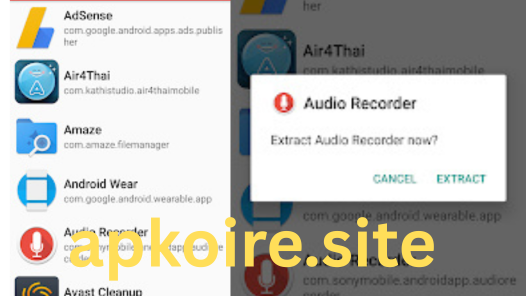
Table of Contents
- Introduction
- What Is APK Extractor
- How to Use
- Key Features
- Benefits
- Pros & Cons
- Alternatives
- Comparison Table
- User Trust & Safety
- User Reviews
- FAQs
- Final Words
Introduction
APK Extractor is a handy tool that allows Android users to extract APK (Android Package) files from installed applications on their device. Whether you’re backing up an app or sharing it with others, APK Extractor makes the process simple and efficient—without requiring root access.
What Is APK Extractor
APK Extractor is a mobile application used to generate APK files from apps already installed on an Android device. These APK files can then be stored, transferred, or reinstalled on other devices. It’s especially useful for users who want to back up apps, avoid downloading the same app multiple times, or share apps with friends.
How to Use
- Download and install APK Extractor from the Google Play Store.
- Open the app.
- A list of installed applications will appear.
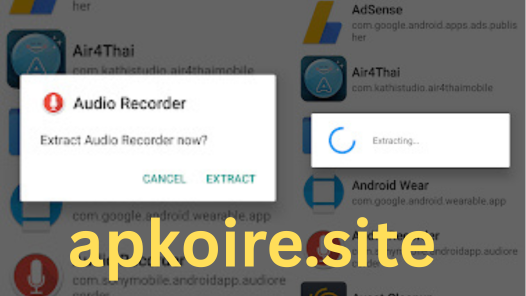
- Tap on the app you want to extract.
- The APK will be saved to your device’s storage, usually in a folder named
ExtractedApks.
Some versions also support:
- Batch extraction
- Sharing directly via Bluetooth, email, or messaging apps

Key Features
- No root required
- Fast and lightweight interface
- Extract system and user-installed apps
- Batch mode extraction
- Share APKs directly
- Organize extracted files by name, date, or size
- Dark mode support (in newer versions)
Benefits
- Backup important apps: Avoid losing your favorite apps during updates or factory resets.
- Share offline: Transfer apps to other devices without using data.
- App archiving: Maintain older versions of apps that you prefer over newer updates.
- Save time: Skip repetitive downloads from app stores.
Pros & Cons
| Pros | Cons |
|---|---|
| Easy to use | Limited to extracting installed apps |
| No root access needed | Cannot extract paid/protected apps |
| Lightweight & fast | Some features may contain ads |
| Works offline | Not officially endorsed by app developers |

Alternatives
- ML Manager
- App Backup & Restore
- APK Export
- Super Backup & Restore
- App Saver
Comparison Table
| Feature | APK Extractor | ML Manager | App Backup & Restore |
|---|---|---|---|
| Root Required | No | No | No |
| Batch Extraction | Yes | Limited | Yes |
| Share APKs | Yes | Yes | Yes |
| Backup to Cloud | No | No | Yes |
| Ads-Free Version Available | No | Yes | Yes |
User Trust & Safety
APK Extractor is generally considered safe and has millions of downloads on the Play Store. However, users should:
- Avoid downloading the app from unofficial sources.
- Ensure they are not violating any app developer’s terms by redistributing APKs.
- Only extract and share apps that are not protected by copyright.
User Reviews
Most users appreciate the simplicity and effectiveness of APK Extractor. Common points mentioned include:
- Fast extraction speed
- Minimal permissions required
- Occasional ads in the free version
- Useful for tech-savvy users and developers
FAQs
Q1: Is APK Extractor safe to use?
Yes, especially if downloaded from trusted sources like the Google Play Store.
Q2: Can it extract system apps?
Yes, but some system apps may be protected and not extractable.
Q3: Does it require internet access?
No, it works entirely offline unless you want to share an APK via an online method.
Q4: Can I use it on non-rooted devices?
Absolutely. That’s one of its biggest advantages.
Q5: Does it work with paid apps?
It may extract the APK, but sharing or installing paid APKs without proper licensing may violate app store policies.
Final Words
APK Extractor is a powerful yet simple tool that serves both casual users and power users looking to manage, share, or archive their apps. While it may not have every advanced feature, its ease of use and reliability make it a top choice for APK extraction tasks. Just be sure to use it responsibly, respecting app licenses and developer rights.